GoPro Hero 4 Black Batteries
I wanted some spare batteries for my GoPro, but didn't like the idea of paying the £15 a piece price tag of the official GoPro ones. So I read a few reviews of third party batteries and plumped for the Smartree alternatives...
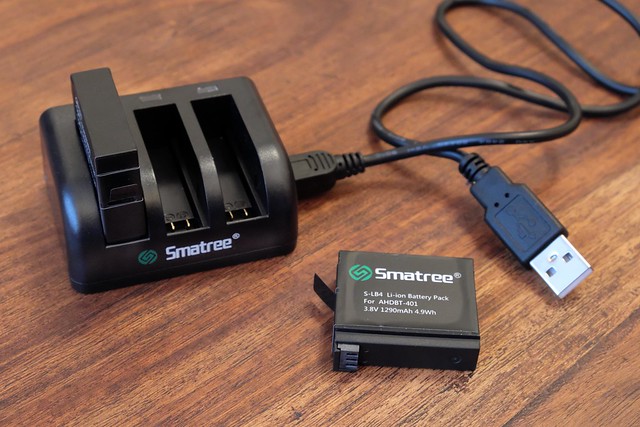
For the very same price as just one official GoPro battery, you get two batteries and a three battery USB charger! These 3rd party batteries come highly recommended, some user's actually claim that they are superior to the original GoPro ones.
GoPro Filter Adapter and Filters
Because I sometimes like to use my GoPro without the accompanying clear plastic protective case (for example, mounted on my gimbal), I do worry about accidently scratching the GoPro's lens.
For this reason, I sought out a means to attach a UV filter - as I have done with my full sized cameras - to give the lens an extra pain of protective glass. I found Neewer 52mm Black Metal Filter Adapter and filter set on Amazon for just £11.09...
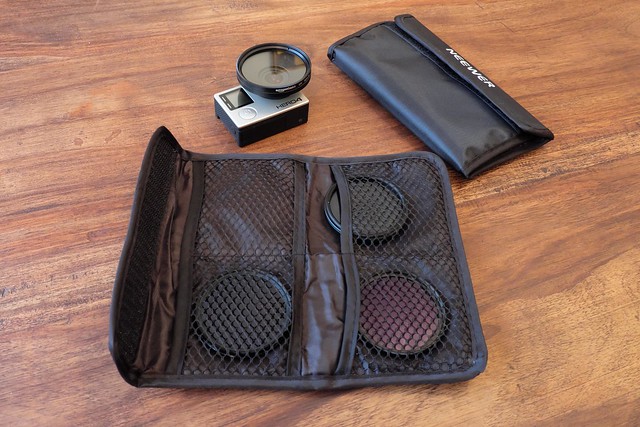
The set comes with the circular adapter which slips on to the GoPro lens plus a wallet containing a UV filter and selection of ND filters (very useful on very sunny days).
Remote Control for the Feiyu-Tech FY-G4 Gimbal
Although I principally want to use my gimbal as intended - as a handheld stabiliser for my GoPro - as there are a couple of scenarios where I may want to operate the gimbal remotely. Feiyu-Tech produces a couple of different remote control units, there is a wireless one (£25) and a wired version (£14). I chose to buy the wired one, as I am a fan of 'low-tech' for reliability reasons...
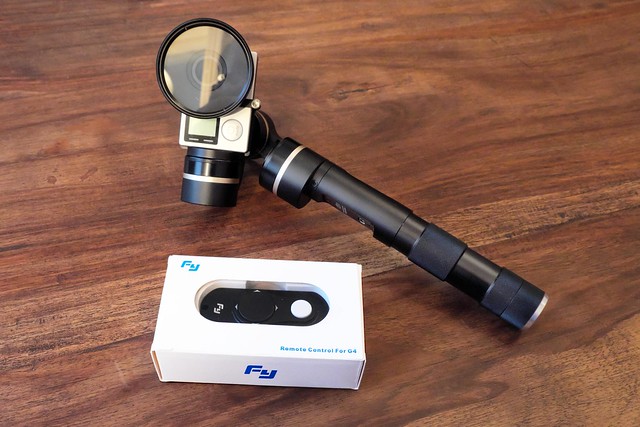
The remote allows you all the same movement options as the normal gimbal control, but also adds the ability for you to remotely pan and raise and lower the camera by means of a 'D pad' button. How this might be useful will become clear with the next addition to my inventory...
FY-G4 Gimbal Telescopic Extention Pole/Handle
A useful technique while filming with a gimbal is to be able to raise the camera up quite high, in this way you can achieve a sort of poor man's crane effect. Indeed, the Feiyu-Tech G4 Gimbal kit comes with a pair of carbon-fibre rods, which screw together and attach to the bottom of the gimbal to allow you to raise it to greater heights.
However, carting about a couple of short poles with your camera kit and then having to stop and assemble them is a wee bit of a pain. So, I found a Neewer 28"/70cm Handheld Telescopic Extension Rod (£6.99) that gives you that extra height when you want it, but then collapses down into a convenient handle accessory when you don't...
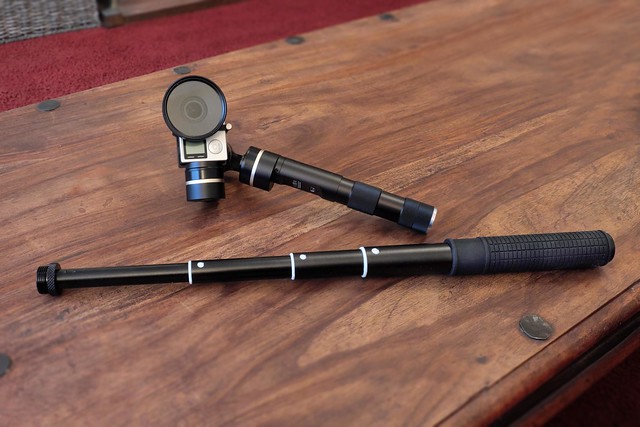
Now, here's where the remote control comes into play...
Unfortunately, the switch to turn the G4 gimbal on is located inside the base of its handle and this is where you screw on any extension pole - making it impossible to operate with a pole attached. And so, unless you turn the gimbal on before you attach the extension (and then keep it turned on), the remote control is the only way to get full control of your gimbal, including the ability to switch it on and off, with a pole in place.
I think that, if you have an extension pole then, the remote is practically a mandatory additional purchase.
I'll be testing all of these 'new' items over the next coming weeks.